# Dica Importante

<span id="bkmrk--5" style="font-weight: normal;"></span>

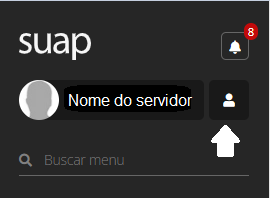
<span style="font-size: 11pt; font-family: Arial,sans-serif; color: #000000; background-color: transparent; font-weight: 400; font-style: normal; font-variant: normal; text-decoration: none; vertical-align: baseline; white-space: pre-wrap;">Inicialmente é importante verificar seus dados cadastrais, para isso clique no ícone </span><span style="font-size: 11pt; font-family: Arial,sans-serif; color: #000000; background-color: transparent; font-weight: bold; font-style: normal; font-variant: normal; text-decoration: none; vertical-align: baseline; white-space: pre-wrap;">Minha conta </span>

[![image-1784739537496.png](https://wiki.ifpe.edu.br/uploads/images/gallery/2026-07/scaled-1680-/aXayeedyyAtkollL-image-1784739537496.png)](https://wiki.ifpe.edu.br/uploads/images/gallery/2026-07/aXayeedyyAtkollL-image-1784739537496.png)

<span style="font-size: 11pt; font-family: Arial,sans-serif; color: #000000; background-color: transparent; font-weight: 400; font-style: normal; font-variant: normal; text-decoration: none; vertical-align: baseline; white-space: pre-wrap;">.</span>

<span style="font-size: 11pt; font-family: Arial,sans-serif; color: #000000; background-color: transparent; font-weight: 400; font-style: normal; font-variant: normal; text-decoration: none; vertical-align: baseline; white-space: pre-wrap;"><span id="bkmrk--6" style="font-weight: normal;"><span style="font-size: 11pt; font-family: Arial, sans-serif; background-color: transparent; font-weight: 400; font-style: normal; font-variant: normal;">![](https://wiki.ifpe.edu.br/uploads/images/gallery/2026-07/KKTn5wN6qgNorZxe-embedded-image-skygsumq.png)</span></span></span>

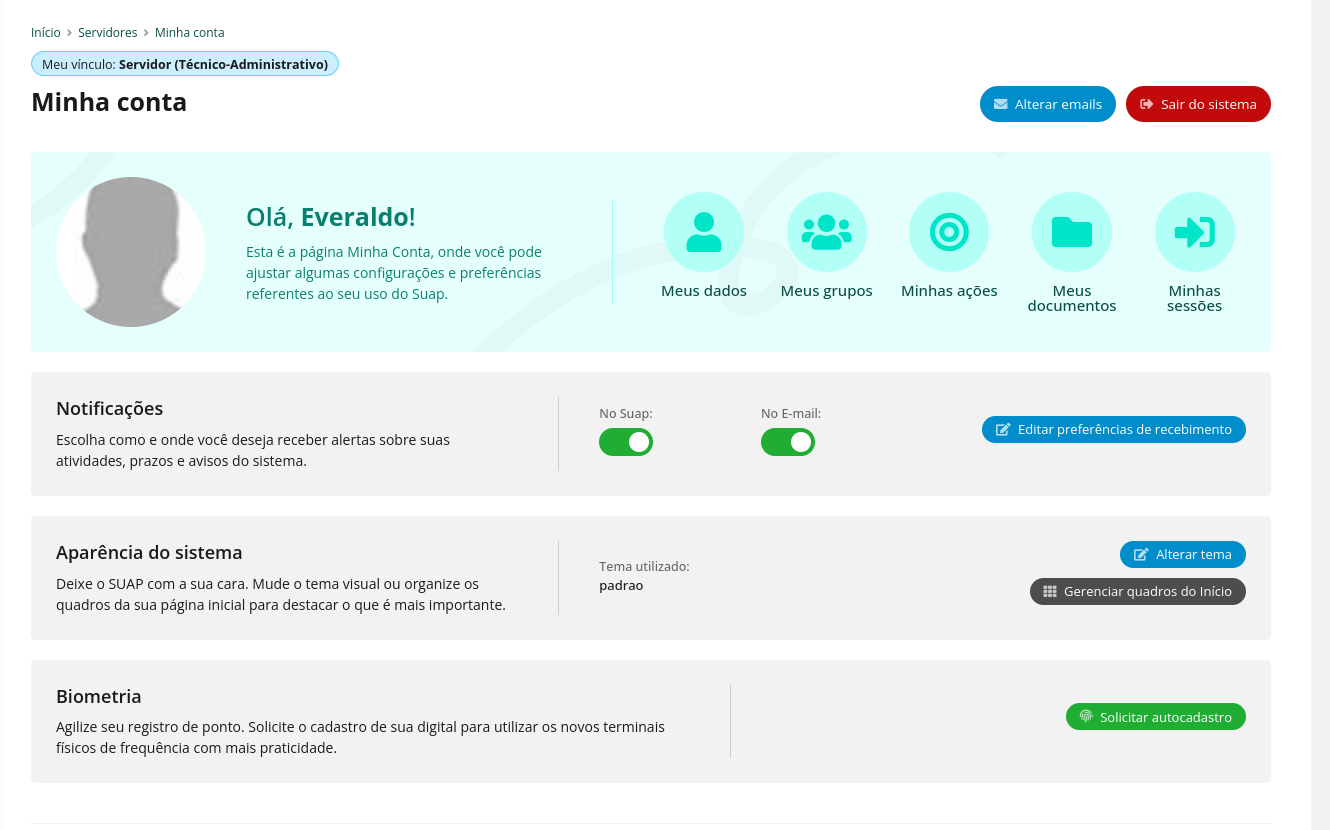
<span style="font-size: 11pt; font-family: Arial,sans-serif; color: #000000; background-color: transparent; font-weight: 400; font-style: normal; font-variant: normal; text-decoration: none; vertical-align: baseline; white-space: pre-wrap;">Nessa tela você poderá configurar as notificações, personalizar a aparência do sistema e verificar seus dados cadastrais.</span>

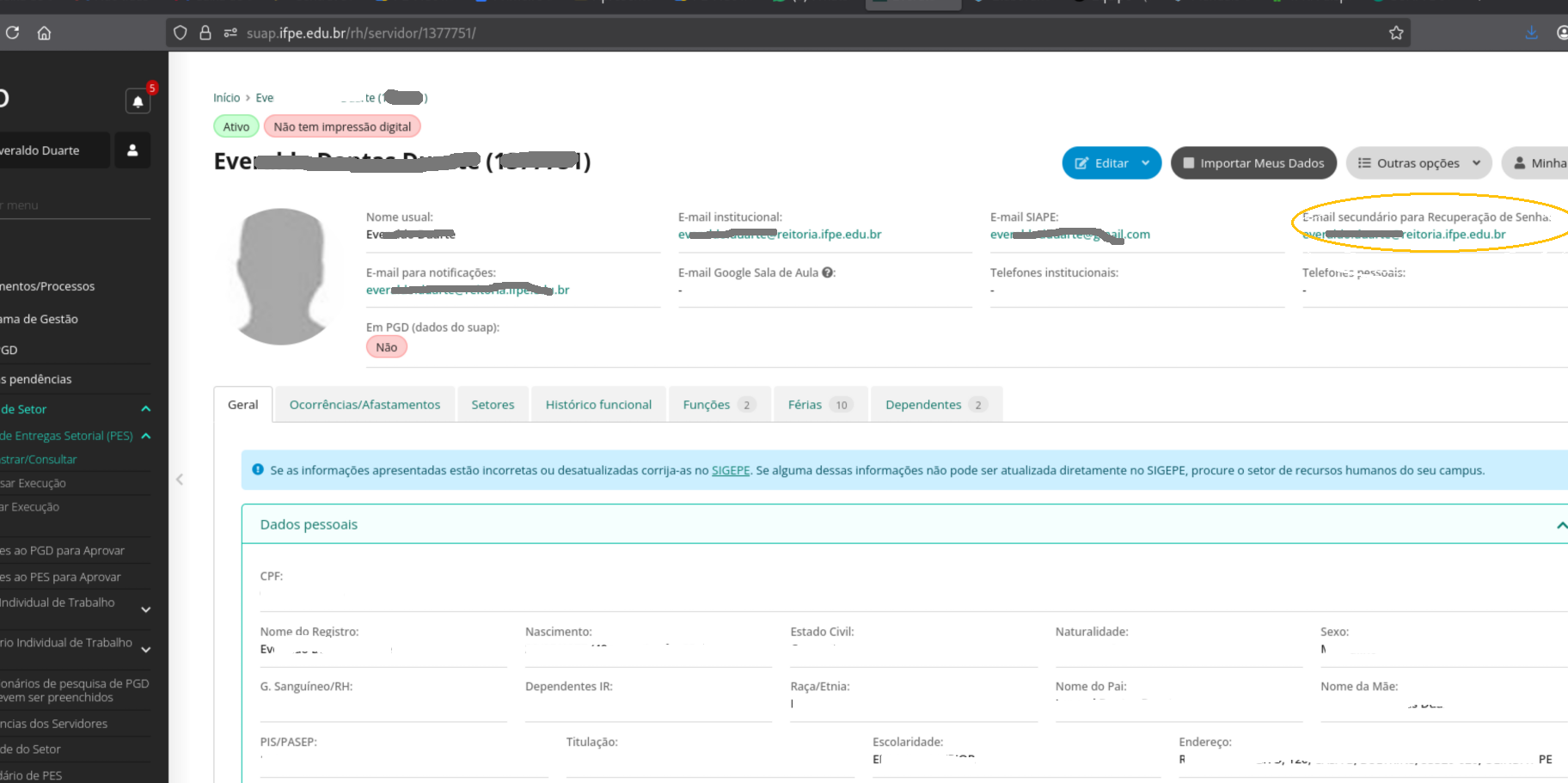
<span style="font-size: 11pt; font-family: Arial,sans-serif; color: #000000; background-color: transparent; font-weight: 400; font-style: normal; font-variant: normal; text-decoration: none; vertical-align: baseline; white-space: pre-wrap;">Nesse momento deve-se atentar para o e-mail secundário para recuperação de senha, pois é por meio dele que o Suap irá encaminhar os </span><span style="font-size: 11pt; font-family: Arial,sans-serif; color: #000000; background-color: transparent; font-weight: bold; font-style: normal; font-variant: normal; text-decoration: none; vertical-align: baseline; white-space: pre-wrap;">códigos de verificação para confirmar</span><span style="font-size: 11pt; font-family: Arial,sans-serif; color: #000000; background-color: transparent; font-weight: 400; font-style: normal; font-variant: normal; text-decoration: none; vertical-align: baseline; white-space: pre-wrap;"> as operações quando necessário.</span>

<span style="font-size: 11pt; font-family: Arial,sans-serif; color: #000000; background-color: transparent; font-weight: 400; font-style: normal; font-variant: normal; text-decoration: none; vertical-align: baseline; white-space: pre-wrap;">  
</span>

<span style="font-size: 11pt; font-family: Arial,sans-serif; color: #000000; background-color: transparent; font-weight: 400; font-style: normal; font-variant: normal; text-decoration: none; vertical-align: baseline; white-space: pre-wrap;">para verificar o seu e-mail clique Clicando no botão </span><span style="font-size: 11pt; font-family: Arial,sans-serif; color: #000000; background-color: transparent; font-weight: bold; font-style: normal; font-variant: normal; text-decoration: none; vertical-align: baseline; white-space: pre-wrap;">Meus dados </span><span style="font-size: 11pt; font-family: Arial,sans-serif; color: #000000; background-color: transparent; font-weight: bold; font-style: normal; font-variant: normal; text-decoration: none; vertical-align: baseline; white-space: pre-wrap;">![](https://wiki.ifpe.edu.br/uploads/images/gallery/2026-07/ZcEtWVMyznY87gxR-embedded-image-nabhgwf1.png)</span>

<span style="font-size: 11pt; font-family: Arial,sans-serif; color: #000000; background-color: transparent; font-weight: bold; font-style: normal; font-variant: normal; text-decoration: none; vertical-align: baseline; white-space: pre-wrap;"><span id="bkmrk--7" style="font-weight: normal;"><span style="font-size: 11pt; font-family: Arial, sans-serif; background-color: transparent; font-weight: 400; font-style: normal; font-variant: normal;">![](https://wiki.ifpe.edu.br/uploads/images/gallery/2026-07/x9ar7ZdC4koTGe4K-embedded-image-sqzo4yvh.png)</span></span></span>

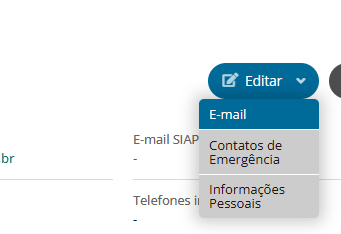
<span style="font-weight: 400;">caso necessário atualizar clique em </span>**editar&gt;E-mail**

<span id="bkmrk--8" style="font-weight: normal;"><span style="font-size: 11pt; font-family: Arial, sans-serif; color: #000000; background-color: transparent; font-weight: 400; font-style: normal; font-variant: normal; white-space: pre-wrap;">![](https://wiki.ifpe.edu.br/uploads/images/gallery/2026-07/9POqO8emuAnY0a5R-embedded-image-8aopkiys.png)</span></span>

<span style="font-weight: 400;"> siga as instruções das próximas telas.</span>

<span style="font-weight: 400;">Em havendo problemas de atualização de e-mail ou caso precise atualizar outro dado procure a gestão de pessoas da sua unidade.</span>